SFM Compile Club: Understanding the Platform, SFM Animation, and Its Creative Community
The SFM Compile Club is a search term associated with Source Filmmaker, online animation communities, and platforms that showcase or discuss SFM-related content. It attracts interest from people who want to understand digital animation, explore creative projects, discover animation resources, or connect with other enthusiasts. However, the name can be confusing because different websites use similar names, and there is no clear evidence that it represents one official organization or service.
Understanding what this name represents requires looking beyond the words themselves. Source Filmmaker is a genuine animation application developed by Valve, while SFM Compile Club is a name used by independent online platforms and projects. These are not the same thing. Knowing the difference helps visitors understand what they are accessing and what they should expect.
For beginners, the subject also introduces an interesting area of digital creativity. Source Filmmaker allows users to work with characters, environments, lighting, cameras, and movement to create animated scenes. Online communities can make learning these skills easier by encouraging discussion, sharing knowledge, and providing opportunities to explore other creators’ work.
This guide explains the meaning of SFM Compile Club, its connection with Source Filmmaker, the potential benefits of related communities, the creative process, and important considerations for anyone exploring an unfamiliar website.
What Is SFM Compile Club?
SFM Compile Club is a name associated with websites and online discussions related to Source Filmmaker animation and creative content. Depending on the website or community being discussed, the name may refer to an animation-focused platform, a collection of SFM-related material, or an online space for people interested in digital filmmaking.
The phrase does not identify a single officially recognized Valve product. Instead, several independent websites use similar names and describe different purposes.
Some websites present themselves as places for sharing animation projects, tutorials, creative resources, and production knowledge. Others focus on showcasing completed animation compilations or discussing technical aspects of SFM.
This distinction is important because visitors should not assume that every website using the same name offers identical services.
Understanding the Meaning Behind the Name
The name contains two important elements:
- SFM: An abbreviation for Source Filmmaker, Valve’s animation software.
- Compile Club: A phrase suggesting a collection, platform, or community connected with compiled creative content.
Together, these words suggest an online destination associated with SFM animation and related creative activities.
However, the name alone does not establish a website’s ownership, services, membership structure, or relationship with Valve. Those details must be checked through the individual website’s published information.
Is SFM Compile Club an Official Valve Platform?
No reliable evidence establishes SFM Compile Club as an official Valve platform.
Valve developed Source Filmmaker, but independent websites can use SFM-related terminology when discussing animation, tutorials, and community projects.
Visitors should distinguish between the software developer and third-party websites discussing its products.
This matters for several reasons:
- An independent website does not automatically receive official support from Valve.
- Resources published by third parties may have different ownership and licensing conditions.
- Download instructions should be checked against trusted software sources.
- Community advice should not automatically be treated as official technical documentation.
Recognizing these differences helps users make better decisions when exploring SFM-related resources.
Understanding Source Filmmaker and Its Connection to the Club
To understand the subject properly, it helps to learn about the software behind the SFM name.
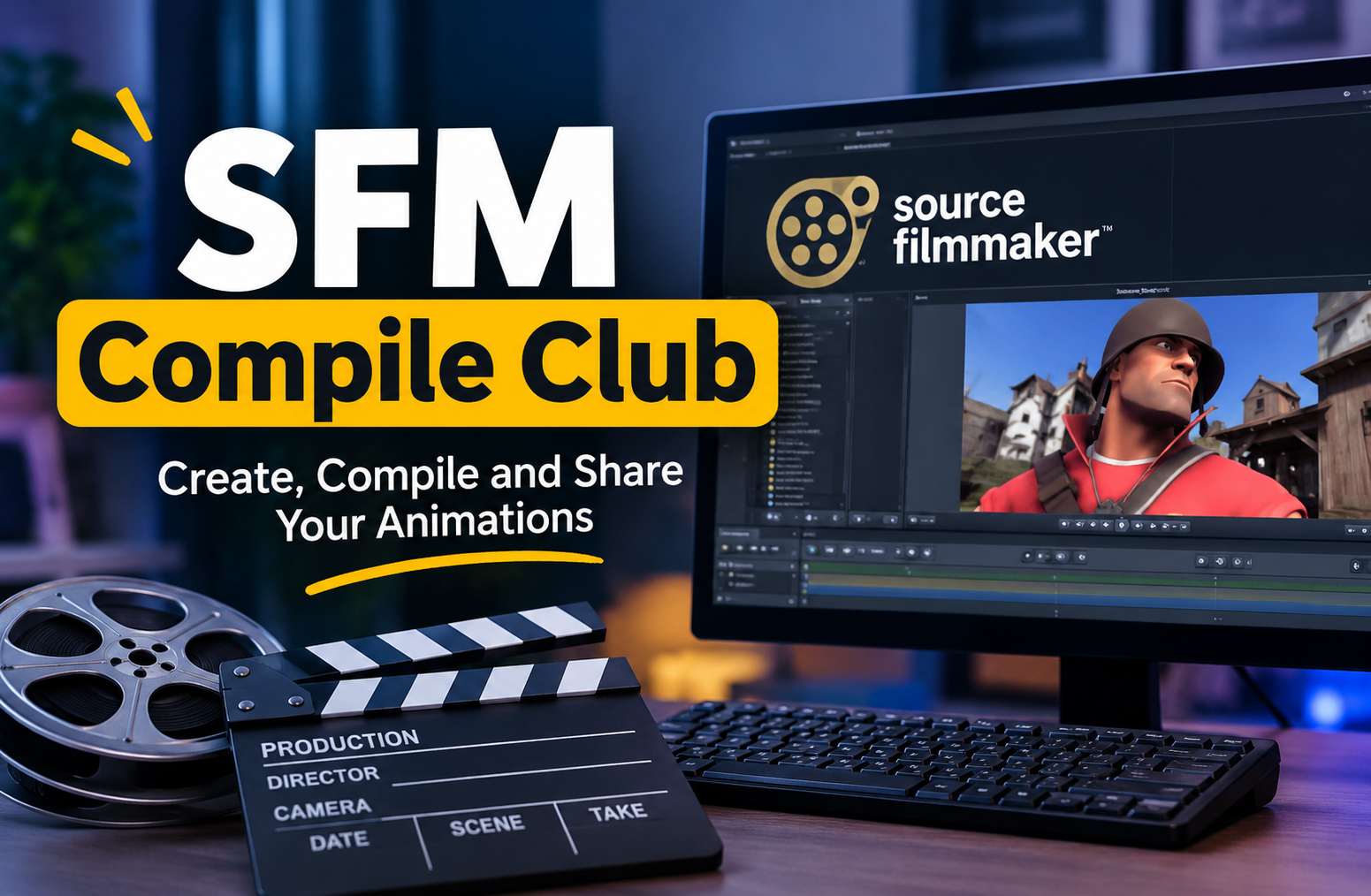
Source Filmmaker is a movie-making application developed by Valve. It allows users to create animated movies using assets from games built with the Source engine.
Unlike traditional video editing software, which mainly works with recorded footage, Source Filmmaker provides a virtual production environment. Users can position characters, arrange objects, control cameras, adjust lighting, and animate different elements within a digital scene.
Valve originally developed the application for producing its own game-related movies. It later made the software publicly available through Steam. The application is free to use, although users should review its current system requirements and licensing terms before starting.
The official Source Filmmaker page on Steam provides information about the software, its availability, and its features.
How Source Filmmaker Works
Source Filmmaker combines several production elements to create animated scenes.
Its general workflow includes the following components:
- Models and characters
Models represent the characters, objects, and environments used in an animation. Creators can work with available game assets or compatible custom models.
- Animation controls
Animation controls allow users to create movement. They can adjust character positions, facial expressions, body movements, and other visual details.
- Camera positioning
Cameras determine what viewers see. Users can create close-up shots, wide scenes, moving camera sequences, and different cinematic angles.
- Lighting and visual effects
Lighting helps establish the atmosphere of a scene. Different light sources can create shadows, highlights, and changes in visual mood.
- Audio and sound effects
Sound adds another layer to animation. Creators can incorporate dialogue, background music, and sound effects to make scenes more engaging.
- Rendering and exporting
After completing the scene, creators render their work into a viewable format. The final output can then be edited, reviewed, or shared with an audience.
These components explain why Source Filmmaker appeals to people interested in animation and digital storytelling.
What Makes SFM Compile Club Interesting to Animation Enthusiasts?
The interest surrounding this name comes from its connection with a broader creative environment.
People exploring SFM-related platforms are often interested in more than simply watching animations. They may want to understand how scenes are created, discover new ideas, learn production techniques, or find resources that support their projects.
An animation-focused community can provide several types of value.
A Place to Explore Creative Content
One potential benefit of an SFM-focused platform is access to different types of creative content.
Animation enthusiasts may explore:
- Short animated films.
- Character-based storytelling.
- Gaming-inspired animation.
- Cinematic scenes.
- Comedy animations.
- Creative experiments.
- Fan-made projects.
- Edited animation collections.
Each category offers a different perspective on digital filmmaking.
For example, a short character animation may demonstrate how movement communicates emotion. A cinematic scene may show how camera positioning and lighting influence the viewer’s experience.
Watching different approaches can help beginners understand what makes an animation visually interesting.
However, the availability of these categories depends on the individual website. They should not be assumed to exist on every platform using the same name.
Opportunities to Discover New Ideas
Creative inspiration is an important part of animation.
Beginners sometimes struggle to decide what to create. They may understand the basic controls but find it difficult to develop an interesting concept.
Exploring existing animation projects can help them recognize different storytelling approaches.
For instance, a creator might notice how another animator uses:
- Camera movement to create tension.
- Facial expressions to communicate emotions.
- Background objects to establish a setting.
- Character positioning to show relationships.
- Lighting to create a particular atmosphere.
These observations can become starting points for original projects.
The goal should not be to reproduce someone else’s work without permission. Instead, creators can study the techniques and develop their own creative interpretations.
Learning Through Shared Knowledge
Animation software can have a learning curve, especially for people who have never worked with 3D production tools.
A community can make the learning process more manageable by providing explanations and discussions.
Members may exchange information about common problems, useful settings, compatible resources, and different production methods.
For example, a beginner might have difficulty positioning a character’s hand correctly. Another creator may explain how to use the available controls to improve the pose.
This type of knowledge sharing can reduce unnecessary experimentation.
Still, advice from community members should be evaluated carefully. A solution that works for one project may not work for another because software versions, models, and project settings can differ.
Main Features Associated With SFM-Focused Communities
Independent platforms using this name describe different types of animation-related resources. The following features represent common possibilities within the wider SFM community rather than verified features of every similarly named website.
1. Animation Tutorials and Learning Resources
Tutorials are useful for people who want to understand how animation works.
A well-structured tutorial should explain a process instead of simply showing its final result.
For example, a camera tutorial should explain:
- How to create a camera.
- How to position it correctly.
- How to adjust the viewing angle.
- How to control camera movement.
- How to avoid unnecessary movement.
- How to review the final composition.
This makes the information easier to apply.
Beginners benefit particularly from tutorials that explain individual steps in simple language. Experienced creators may prefer advanced discussions about motion curves, lighting arrangements, rendering quality, and production efficiency.
2. Models and Character Resources
Models are essential components of many SFM projects.
They provide the visual structure for characters, objects, and environments. A suitable model can save production time and help creators focus on animation and storytelling.
Different resources may include:
- Character models.
- Environmental models.
- Furniture and everyday objects.
- Gaming-related assets.
- Custom character designs.
- Props and accessories.
However, downloading a model does not automatically mean that it can be used without restrictions.
Creators should review the original author’s licensing conditions. Some assets allow personal use but restrict commercial distribution. Others require attribution or explicit permission.
Checking these conditions before using a resource helps prevent copyright disputes.
3. Community Discussions
Discussions allow users to exchange experiences and ask questions.
They can cover technical issues, animation techniques, software compatibility, creative concepts, and project development.
A useful discussion environment should encourage constructive feedback rather than focusing only on popularity.
For example, feedback such as “the character movement looks unnatural because the transition is too sudden” provides more value than a general comment saying that an animation looks bad.
Specific feedback helps creators understand what needs improvement.
4. Creative Project Showcases
Showcasing completed projects can help animators evaluate their progress.
A creator may publish a short animation to demonstrate a new technique or receive feedback on a particular scene.
Other users can learn by observing:
- Character movement.
- Camera transitions.
- Scene composition.
- Lighting choices.
- Visual storytelling.
- Animation timing.
Project showcases can also help creators develop a portfolio.
A well-organized portfolio demonstrates practical skills more effectively than simply listing software knowledge.
5. Collaboration Opportunities
Some independent creative communities encourage collaboration.
Different creators may contribute different skills to a shared project.
For example:
| Role | Main responsibility |
| Animator | Creates character movement |
| Model creator | Develops characters and objects |
| Lighting artist | Establishes scene lighting |
| Camera artist | Plans camera angles and movement |
| Sound editor | Handles dialogue and audio |
| Video editor | Organizes and finishes the final production |
Collaboration can introduce creators to production methods they may not have explored independently.
It also teaches communication, file organization, and project coordination.
However, collaboration should always include clear agreements about responsibilities, deadlines, ownership, and permission to publish the final work.
Benefits of Exploring an SFM Animation Community
An animation community can offer benefits beyond access to individual resources.
Its greatest value often comes from the opportunity to learn from different creative approaches.
Better Understanding of Animation Techniques
Watching different projects helps users recognize how animation principles work in practice.
For example, character movement involves more than changing a model’s position. Timing, spacing, balance, and transitions all influence whether movement looks natural.
A character that suddenly changes position may appear unrealistic. A smoother transition can make the same movement feel more believable.
Studying completed animations helps beginners recognize these differences.
Improved Creative Confidence
Many beginners hesitate to publish their first animation because they believe it is not good enough.
A supportive environment can make it easier to share early work and receive constructive criticism.
Feedback provides an opportunity to identify strengths and weaknesses.
Over time, creators can become more confident in experimenting with different techniques.
Access to Different Production Approaches
There is rarely only one way to create an effective animated scene.
Some creators prefer detailed character animation. Others focus on cinematic composition, visual comedy, or short storytelling formats.
Exploring different approaches helps users understand that animation is a flexible creative medium.
It also encourages them to develop a recognizable style.
Opportunities to Build a Portfolio
A portfolio is a collection of work that demonstrates a person’s abilities.
For an SFM creator, it might include:
- Short animated sequences.
- Character animation examples.
- Cinematic scenes.
- Lighting experiments.
- Completed short films.
- Original creative projects.
A strong portfolio should show different abilities while maintaining consistent presentation quality.
Creators should also identify which parts of each project they completed themselves, especially when working with other people.
A More Organized Learning Experience
Learning from random tutorials can sometimes create confusion.
A community with organized educational resources can help users follow a more logical learning path.
For example, beginners can start with basic navigation, then learn character positioning, camera controls, lighting, animation, and rendering.
This progression makes complicated production tasks easier to understand.
How to Get Started With Source Filmmaker
Someone interested in this creative field does not need professional animation experience to begin.
The best approach is to understand the software, practice its basic controls, and gradually develop more complex projects.
Step 1: Understand the Software Before Joining Communities
Start by learning what Source Filmmaker can do.
Understand its main interface and the difference between its major production functions.
Pay attention to:
- The animation workspace.
- The viewport.
- The timeline.
- The camera controls.
- The animation controls.
- The available models and assets.
- The rendering process.
Learning these basics makes later tutorials easier to follow.
Step 2: Install the Software From a Trusted Source
Download software through an established distribution channel.
Source Filmmaker is available through Steam. Users should avoid installers that claim to offer unofficial modified versions or additional features without reliable documentation.
Before installing, check the system requirements and make sure enough storage space is available.
A properly installed application provides a more reliable foundation for learning.
Step 3: Explore the Interface
Once the software is installed, spend time understanding its workspace.
Do not attempt to create a complicated movie immediately.
Instead, explore the interface and identify where different functions are located.
Practice simple actions such as:
- Opening a project.
- Loading a model.
- Positioning an object.
- Adjusting a camera.
- Creating a basic movement.
- Reviewing the timeline.
These exercises establish the foundation for more advanced work.
Step 4: Create a Simple Animation
A small project is an effective way to understand the production process.
For example, create a scene in which a character walks into a room, stops, and looks toward another object.
This simple exercise involves several important skills:
- Character positioning.
- Movement timing.
- Camera placement.
- Scene composition.
- Basic animation.
- Final rendering.
Completing a small project helps users understand how individual elements work together.
Step 5: Learn From Existing Projects
Study completed animations to understand how creators approach different production challenges.
Do not focus only on the final appearance.
Pay attention to the details that contribute to the result.
Ask yourself:
- Why does the camera move at a particular moment?
- How does the character communicate emotion?
- Why does the scene use a particular lighting arrangement?
- How do transitions connect different actions?
- What makes the animation feel smooth?
These questions encourage active learning instead of passive viewing.
Step 6: Participate in Relevant Discussions
After learning the basics, explore communities and discussion platforms.
Look for conversations that address your current learning needs.
You may find explanations about common technical problems, suggestions for improving animation quality, or discussions about creative workflows.
When asking questions, provide enough information for others to understand the issue.
For example, instead of asking why an animation does not work, explain:
- Which software you are using.
- What action you attempted.
- What result you expected.
- What actually happened.
- Whether an error message appeared.
Clear questions usually produce more useful answers.
Step 7: Develop Your Own Creative Style
Once you understand the fundamentals, experiment with original ideas.
You might explore comedy, cinematic storytelling, character interactions, or gaming-inspired scenes.
Try different camera angles, lighting arrangements, and animation timing.
Keep a record of your progress so you can compare earlier projects with newer ones.
Improvement becomes easier to recognize when you have examples of your previous work.
Understanding the Difference Between SFM Compilation and Rendering
One common source of confusion is the word “compile.”
In animation discussions, people sometimes use compiling and rendering as if they mean the same thing. However, these terms can describe different technical processes.
Understanding the difference is important for anyone learning Source Filmmaker.
What Is SFM Compilation?
In the Source engine ecosystem, model compilation generally refers to converting source model files into a format that the engine can use.
This process may involve:
- Preparing model geometry.
- Organizing animation sequences.
- Defining materials.
- Configuring model properties.
- Processing model data through appropriate tools.
Model compilation is particularly relevant when creators develop or convert custom assets.
What Is SFM Rendering?
Rendering is the process of producing the final visual output from an animated scene.
It involves calculating how the scene should appear in each frame.
Important elements include:
- Character positions.
- Lighting and shadows.
- Camera angles.
- Materials and textures.
- Animation timing.
- Visual effects.
The resulting frames can be combined into a video or used in further editing.
Compilation vs. Rendering
| Aspect | Model compilation | Animation rendering |
| Main purpose | Prepare models for engine use | Produce visual frames |
| Main input | Model source files and configuration | An animated scene |
| Output | Engine-compatible model files | Rendered images or video |
| Typical use | Custom asset preparation | Final animation production |
| Main focus | Technical compatibility | Visual presentation |
The distinction is useful because troubleshooting depends on identifying the actual process involved.
A model that fails to load may require a different solution from an animation that renders incorrectly.
Common Challenges Faced by SFM Beginners
Although Source Filmmaker offers creative flexibility, beginners may encounter several challenges.
Understanding these problems early can make the learning experience more manageable.
1. Learning the Interface
The software contains different panels, controls, and production tools.
New users may find it difficult to understand how these elements work together.
Trying to learn everything at once can make the process unnecessarily complicated.
A practical solution:
Focus on one function at a time. Start with navigation and camera controls before moving toward advanced animation techniques.
Use small exercises to reinforce what you learn.
2. Finding Compatible Models
Not every 3D model is immediately compatible with Source Filmmaker.
Models created for different software or game engines may require conversion or additional preparation.
Problems can involve:
- Unsupported file formats.
- Missing textures.
- Incorrect material settings.
- Broken model structures.
- Missing animation data.
A practical solution:
Check the model’s compatibility before downloading it. Read the creator’s instructions and look for installation requirements.
When possible, test unfamiliar assets in a separate project before using them in important work.
3. Managing Animation Timing
Good animation depends heavily on timing.
A character can have technically correct movements but still appear unnatural if actions happen too quickly or slowly.
For example, a character turning around may look unrealistic if the head, shoulders, and body move at exactly the same time without any natural transition.
A practical solution:
Study the movement carefully and divide it into smaller stages.
Pay attention to the beginning, middle, and ending of each action. Adjust timing gradually and review the result from different camera angles.
4. Dealing With Lighting Problems
Lighting can dramatically change the appearance of an animated scene.
Poor lighting may hide important details, create distracting shadows, or make characters blend into the background.
Using too many lights can also make a scene difficult to manage.
A practical solution:
Start with a simple lighting arrangement.
Establish the main light source first. Then add supporting lights only when they improve visibility or atmosphere.
Check how the lighting affects both the character and the surrounding environment.
5. Managing Performance
Large animation projects can become demanding for a computer.
Complex models, detailed environments, multiple lights, and high-quality rendering settings may affect performance.
This can lead to slower previews and longer rendering times.
A practical solution:
Use simpler assets where detailed geometry is unnecessary.
Organize the scene carefully and avoid adding objects that do not contribute to the final composition.
You can also test smaller sections before rendering an entire project.
6. Fixing Missing Textures
A model may appear correctly shaped but display incorrect colors or missing visual details.
This often happens when the software cannot locate the required material files.
A practical solution:
Check the model’s material paths and installation instructions.
Confirm that the required texture files are present in the correct locations. If the asset comes with documentation, follow its setup process carefully.
7. Understanding Rendering Errors
Rendering problems can occur for different reasons.
Some may be related to project settings, while others may involve models, lighting, memory, or software stability.
A practical solution:
Avoid changing multiple settings simultaneously.
Instead, test one adjustment at a time. Save a working version before experimenting with new configurations.
This makes it easier to identify which change caused the problem.
Practical Applications of Source Filmmaker
Source Filmmaker is not limited to one type of animation.
Its production environment supports different creative approaches, making it useful for personal projects, educational experiments, and online entertainment.
Gaming-Based Animated Videos
Gaming communities have helped make SFM animation recognizable across online platforms.
Creators can use compatible game assets to produce scenes featuring familiar environments and characters.
These projects may include:
- Short comedy videos.
- Character interactions.
- Game-inspired stories.
- Animated introductions.
- Fan-made cinematic sequences.
Such content allows creators to explore storytelling within familiar digital environments.
However, using game characters and other protected assets does not automatically grant commercial rights. Creators should review the applicable permissions before distributing or monetizing their work.
Short Films and Digital Storytelling
Source Filmmaker can also support original storytelling.
A creator can develop a short narrative using characters, locations, camera movement, and sound.
For example, a short film might follow a character who discovers an unfamiliar object in an empty environment.
The story can be communicated through movement, expressions, camera angles, and sound effects.
Even a simple storyline can become engaging when its visual elements are organized effectively.
Comedy and Entertainment Content
Comedy is another possible application.
Creators can use character expressions, unusual situations, timing, and unexpected movements to produce humorous scenes.
The timing of a joke is particularly important.
A short pause before a character reacts can sometimes make a scene more entertaining than adding extra movement or dialogue.
Educational Animation
Animation can make certain explanations easier to understand.
For example, creators can use animated characters to demonstrate basic concepts, explain a sequence of events, or present a fictional situation.
The visual format can be especially helpful when the subject involves movement or spatial relationships.
However, educational accuracy still matters. An animation should support the explanation rather than introduce misleading information.
Creative Portfolios and Skill Development
SFM projects can become part of a digital portfolio.
This is useful for creators who want to demonstrate their understanding of animation and visual production.
A portfolio might show:
- Character animation.
- Camera work.
- Lighting experiments.
- Scene development.
- Storytelling.
- Completed short films.
The strongest examples usually demonstrate clear creative decisions rather than relying only on technical complexity.
How to Evaluate an SFM Compile Club Website Before Using It
Because several independent websites use similar names, visitors should evaluate the exact website they intend to access.
A familiar name does not automatically guarantee that a platform is reliable.
The following checks can help users make more informed decisions.
1. Check the Exact Domain
Start by examining the website address.
Look carefully at the spelling, domain extension, and any unusual characters.
Websites with similar names may have completely different owners and purposes.
For example, a domain ending in .org is not necessarily operated by the same people as a similarly named .club or .com website.
Do not assume that two websites are connected simply because their names look alike.
2. Review the About Page
A trustworthy website should explain its purpose clearly.
Look for information about:
- The website’s main subject.
- Its intended audience.
- Its ownership or publishing team.
- The type of content it provides.
- Its editorial approach.
If the website makes broad claims about being an established community, check whether those claims are supported by verifiable information.
3. Check Contact Information
A contact page helps visitors understand how to communicate with a website’s operator.
Look for a working contact method and clear information about the website’s responsibilities.
A contact email alone does not prove that a website is trustworthy, but the absence of meaningful contact information can make accountability more difficult.
4. Read Privacy and Terms Policies
Privacy policies explain how websites handle visitor information.
Terms and conditions describe the rules that apply when using the platform.
Before creating an account, submitting personal information, or uploading files, review these documents.
Pay attention to:
- Information collected during registration.
- How submitted content is handled.
- Whether user information is shared.
- Account deletion procedures.
- Content ownership conditions.
- Rules governing downloads and submissions.
These details become especially important when a website offers user accounts or community features.
5. Examine Download Sources
Animation websites may provide links to models, tools, textures, and other resources.
Not every download should be trusted automatically.
Before opening a downloaded file:
- Check the original publisher.
- Review the file type.
- Avoid unexpected executable installers.
- Scan suspicious files with reputable security software.
- Read the resource’s installation instructions.
- Check whether the file requires additional permissions.
Be especially careful with downloads that promise premium resources for free or request unnecessary personal information.
6. Look for Evidence of Active Community Participation
A website may describe itself as a community without providing meaningful opportunities for interaction.
Look for evidence such as:
- Recent discussions.
- Published creative projects.
- Meaningful comments.
- Updated educational resources.
- Identifiable contributors.
- Consistent publishing activity.
These signs can help distinguish an active platform from a website that mainly uses community-related language for promotion.
7. Verify Claims About Official Partnerships
A website may discuss Source Filmmaker without being affiliated with Valve.
If a platform claims official recognition, sponsorship, or partnership, look for confirmation from the organization involved.
A logo, software reference, or familiar product name is not sufficient evidence of an official relationship.
This is an important distinction for visitors who want technical support or official software resources.
Content Ownership and Copyright Considerations
Copyright is an important subject within digital animation.
SFM projects may contain models, textures, sounds, characters, and other creative materials developed by different people.
Using these materials responsibly helps protect both original creators and people who produce new projects.
Respect the Original Creator
If you use another person’s model or resource, review the applicable license.
Some creators allow redistribution with attribution. Others permit personal projects but prohibit commercial use.
Always follow the specific conditions attached to the asset.
Understand the Difference Between Inspiration and Copying
Studying another animation can help develop creative skills.
However, reproducing an entire project and presenting it as original work is different from learning through observation.
Creators should develop their own concepts, scenes, and storytelling approaches.
When referencing another person’s work, provide appropriate credit where required.
Check Music and Sound Permissions
Music and sound effects may have separate copyright restrictions.
A model being freely available does not mean that every audio file associated with it can be reused.
Before publishing an animation, confirm that its audio elements are properly licensed.
Be Careful With Commercial Distribution
Publishing an animation online and selling it commercially may involve different legal considerations.
Creators should check the permissions for all assets used in a project.
They should also review the relevant platform’s content and monetization policies.
Taking these steps can prevent avoidable copyright problems.
How to Make Better SFM Projects
Improving animation quality requires consistent practice and attention to detail.
Simply using more models or advanced effects does not guarantee a better result.
A successful project needs a clear purpose, organized production, and thoughtful execution.
Start With a Clear Story
Before opening the software, decide what the animation should communicate.
A basic outline can answer three questions:
- Who or what is the main subject?
- What happens during the scene?
- What should the viewer understand at the end?
This simple planning process helps prevent unnecessary scenes and confusing sequences.
Keep Scenes Focused
Every element in an animation should contribute to the intended result.
Too many objects, unnecessary movements, and distracting effects can make a scene difficult to follow.
Start with the main character or subject.
Then add background elements and supporting details where they improve the composition.
Pay Attention to Character Movement
Movement should communicate purpose.
A character walking, looking around, or reacting to something should appear consistent with the situation.
Study how different body parts move together.
Small adjustments to timing and positioning can make a noticeable difference.
Use Camera Angles With Purpose
Camera placement affects how viewers interpret a scene.
A close-up can emphasize emotion, while a wide shot can establish the environment.
A moving camera can create energy, but unnecessary movement may distract from the main action.
Choose camera positions based on what the audience needs to see.
Improve Lighting Gradually
Do not rely on complex lighting arrangements immediately.
Start with basic visibility and gradually introduce additional lighting.
Review how shadows affect important objects and characters.
The objective is to create a clear visual composition, not simply to use as many light sources as possible.
Review and Refine the Final Output
The first render should be treated as an opportunity to identify improvements.
Watch the entire animation and look for:
- Sudden movement changes.
- Inconsistent character positions.
- Distracting camera transitions.
- Missing visual details.
- Unclear lighting.
- Audio synchronization problems.
Fix the most important issues first.
Repeated testing helps improve the final result without requiring unnecessary changes to the entire project.
Is SFM Compile Club Suitable for Beginners?
Beginners can explore SFM-related websites and communities, but their experience depends on the resources available on each individual platform.
People without animation experience should begin with the fundamentals rather than attempting complicated projects immediately.
A sensible learning progression includes:
| Learning stage | Main focus |
| Beginner | Software navigation and basic controls |
| Early intermediate | Character positioning and camera work |
| Intermediate | Animation timing and lighting |
| Advanced | Complex scenes and custom assets |
| Experienced | Complete productions and collaboration |
This progression allows users to build skills gradually.
What Should Beginners Avoid?
New creators should avoid several common mistakes:
- Downloading files from unknown sources.
- Assuming every website is officially connected to Valve.
- Using copyrighted assets without checking permissions.
- Starting complicated projects without learning the basics.
- Ignoring project backups.
- Copying other creators’ work.
- Following technical instructions without checking compatibility.
Avoiding these mistakes can make the learning experience safer and more productive.
The Future of SFM and Online Animation Communities
Digital animation continues to provide opportunities for independent creators.
Accessible software, online tutorials, and community-based learning have made it easier for individuals to experiment with animation without working in a traditional production studio.
Source Filmmaker remains part of this creative environment.
Its existing asset ecosystem and established user community provide opportunities for learning and experimentation.
Online communities can also help creators exchange ideas and discuss production challenges.
The Growing Importance of Independent Creators
Independent creators play an important role in online entertainment.
They can develop projects without requiring the resources of a large animation studio.
A single creator may handle character animation, camera positioning, editing, and sound.
This flexibility allows people to experiment with different formats and storytelling approaches.
Community Knowledge and Skill Development
Online learning communities can make technical information easier to access.
Creators can discuss problems, share tutorials, and explain their experiences.
This exchange of knowledge is particularly valuable for software that has a learning curve.
However, community information should continue to be checked against reliable technical documentation.
Changing Creative Tools
Animation software and production workflows continue to evolve.
Creators may use different applications for modeling, editing, sound production, and visual effects.
Some workflows combine multiple tools to achieve a particular result.
The important skill is understanding how the tools work together rather than depending entirely on one application.
For SFM enthusiasts, developing transferable skills in animation, visual storytelling, and digital production can provide long-term value.
Frequently Asked Questions (FAQs)
1. What is SFM Compile Club?
SFM Compile Club is a name used by independent websites and online projects associated with Source Filmmaker content, animation resources, and creative communities. It does not identify a single verified official Valve service.
2. What does SFM stand for?
SFM stands for Source Filmmaker. It is an animation and movie-making application developed by Valve for creating movies within the Source game engine.
3. Is SFM Compile Club officially affiliated with Valve?
There is no verified evidence establishing an official relationship between SFM Compile Club websites and Valve. Visitors should check the ownership and affiliation claims of individual platforms.
4. Is Source Filmmaker free to use?
Yes. Valve offers Source Filmmaker through Steam as free software. Users should check its current system requirements and applicable usage terms.
5. Can beginners use Source Filmmaker?
Yes. Beginners can learn Source Filmmaker by starting with basic navigation, character positioning, camera controls, animation, lighting, and rendering. Regular practice helps develop more advanced skills.
6. Is SFM compilation the same as rendering?
No. Model compilation prepares source model files for use in the Source engine, while rendering produces the visual frames of an animated scene. They are separate technical processes.
Conclusion
SFM Compile Club is a name connected with the wider world of Source Filmmaker, digital animation, and independent creative platforms. Understanding its meaning requires distinguishing between the actual animation software and third-party websites that use similar terminology.
Source Filmmaker provides a creative environment where users can develop animated scenes through character models, camera controls, lighting, movement, and sound. Its flexibility makes it useful for gaming-inspired videos, short films, comedy, and other forms of digital storytelling.
Online communities can complement this experience by providing opportunities to explore creative projects, exchange knowledge, and learn from other enthusiasts. However, their features and reliability depend on the individual platforms.
Visitors should also pay attention to website ownership, download security, privacy policies, and copyright permissions. These checks are important when exploring unfamiliar websites or using third-party animation resources.
Ultimately, the value of the SFM ecosystem comes from the creative possibilities it offers. Understanding the software, developing practical skills, respecting other creators’ work, and approaching online resources carefully can help users build a more rewarding animation experience.